The Problem It Solves
Every NQ trading day has a personality. Some days trend hard in one direction. Some days chop back and forth. Some days do nothing until 2 PM then explode. The strategy that works on a Trend day will destroy your account on a Rotational day — and most traders don't figure out which one they're in until it's too late.
The Context Engine solves this by classifying the day type in real time, starting from the opening range. Before you take a single trade, you know what kind of day the market is setting up — and that changes everything about your approach.
What It Classifies
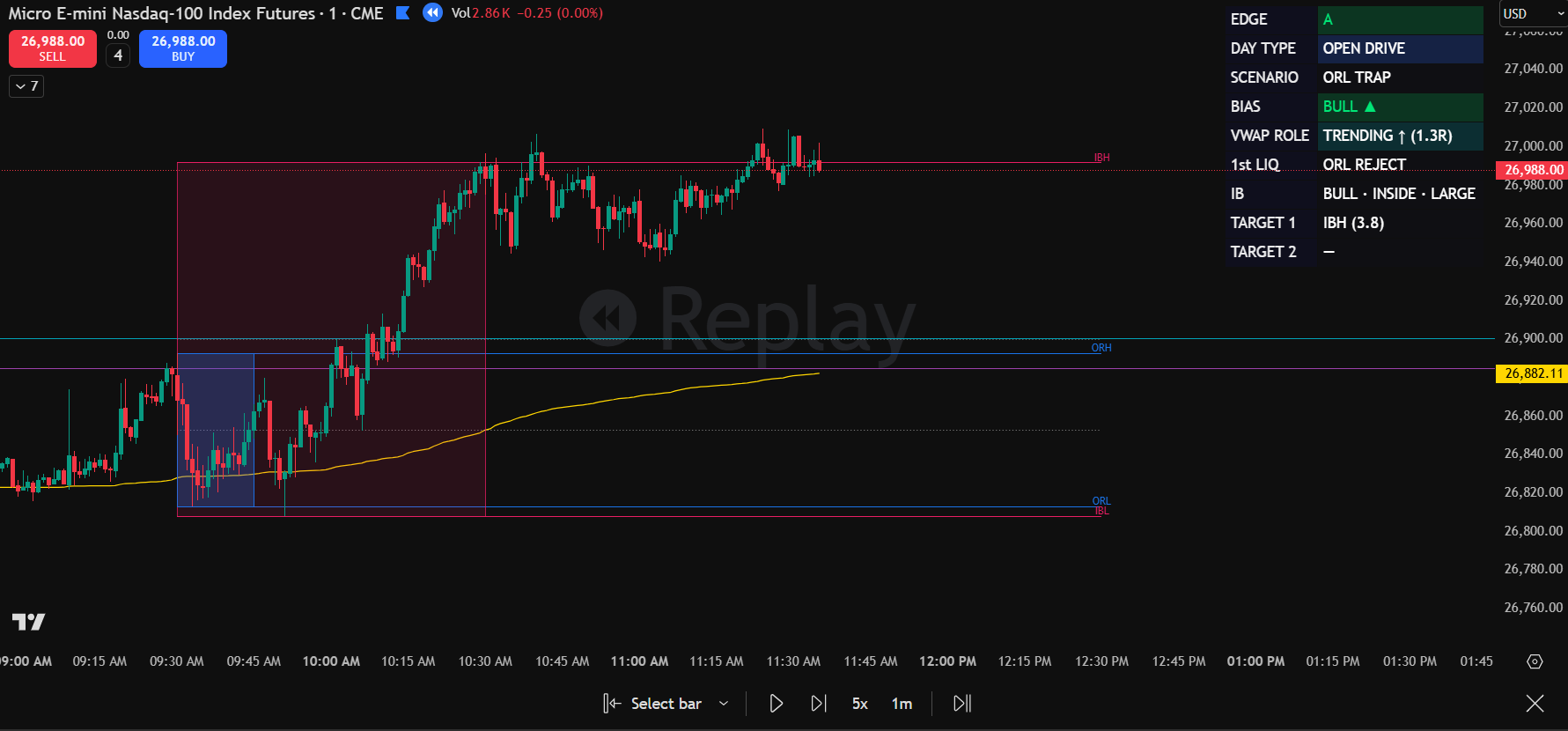
The HUD Overlay
Everything the Context Engine computes is displayed in a clean HUD overlay on your TradingView chart. No cluttered indicators, no conflicting signals. One panel, three readings:
Pairs With the Scalloper
The Context Engine tells you WHAT kind of day it is. The Scalloper v4.1 tells you WHERE to enter. Together, they form the complete Combo ORB system:
- Context Engine reads the day type — Trend, Rotational, Breakout, or Reversal
- Scalloper identifies a zone — one of the 4 setup types aligns with structure
- You execute with context — trade management changes based on the day type classification
You can run the Context Engine alone as a day type filter for your existing strategy. But combined with the Scalloper, it becomes a full system — context, structure, and execution.
Who This Is For
- NQ/MNQ day traders who want to know the market's personality before committing capital
- Prop firm traders who need to avoid blowing up on the wrong day type — Rotational days kill trend traders, and the Context Engine flags them early
- System traders who want a quantified day type filter instead of a gut read
- Scalloper users who want the full Combo ORB system with context-driven trade management
- Combo ORB Context Engine TradingView indicator (private invite-only)
- Real-time day type classification (4 types)
- VWAP role identification (support/resistance/magnet)
- ORB state tracking (break/hold/fail)
- Clean HUD overlay — one panel, zero clutter
- Updates and improvements included
- Access granted within 24 hours