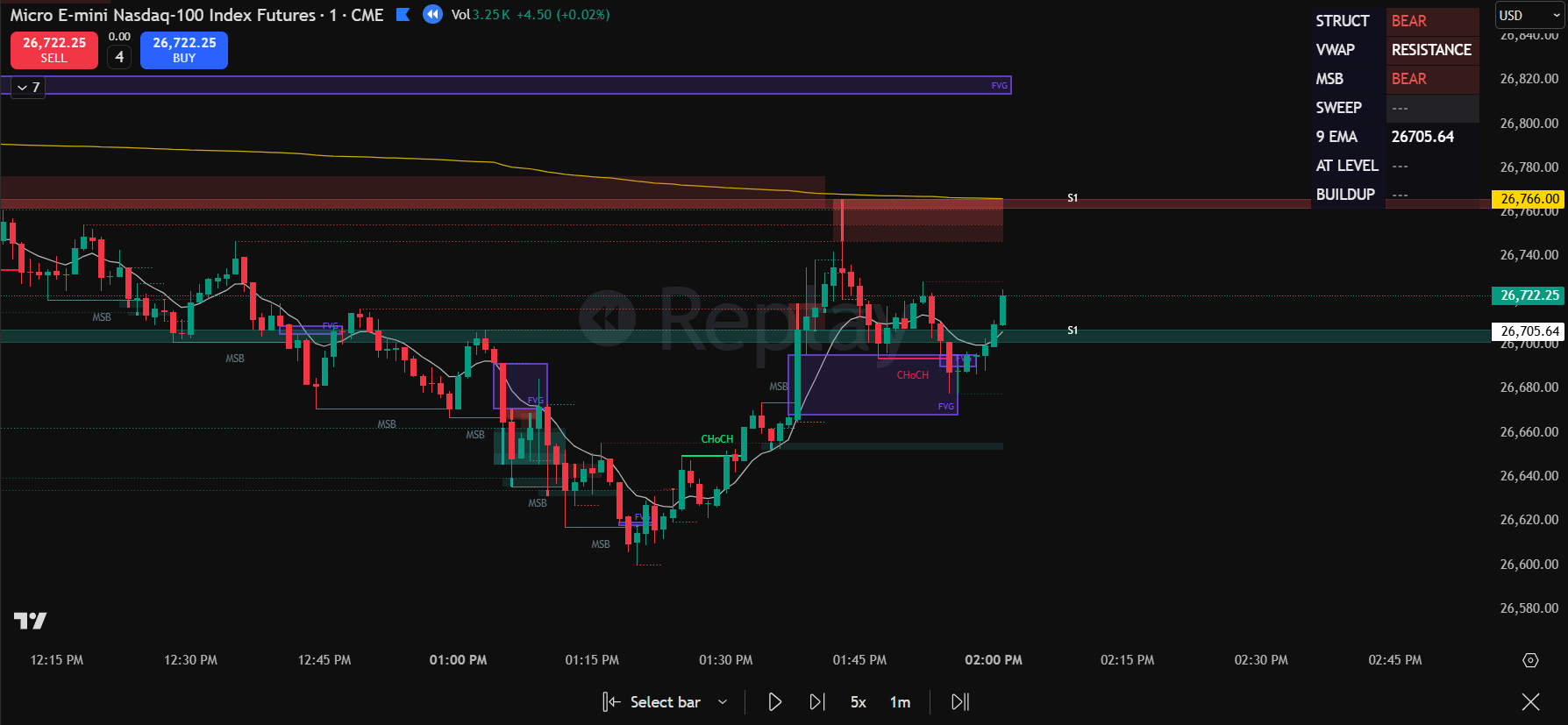
What the Scalloper Does
Most NQ traders look at a chart and see candles. The Scalloper looks at the same chart and sees structure — zones where price is likely to react, and specific conditions that turn those zones into entries.
It doesn't predict direction. It identifies locations where the risk/reward math is in your favor based on how price has built up around key levels. When structure aligns, it shows you exactly where to enter, where to place your stop, and where the target is.
When structure doesn't align, it stays quiet. No signal means no trade — that filter alone is worth the price for most traders.
The 4 Setup Types
What You See on Your Chart
Who This Is For
- NQ/MNQ day traders who want defined, repeatable setups instead of gut-feel entries
- Prop firm traders who need consistent structure to pass evaluations and stay compliant with drawdown rules
- Traders with a system who want to automate the zone identification they currently do manually
- Visual learners who process information better when it's plotted directly on the chart
Who This Is NOT For
- Traders looking for a "buy here, sell here" signal bot — the Scalloper shows structure, you make the decision
- Scalpers taking 50+ trades per day — the Scalloper generates 1-3 setups per session by design
- Traders who don't understand day type context — the indicator works best when paired with the Combo ORB Context Engine
Pairs With the Context Engine
The Scalloper tells you where to enter. The Combo ORB Context Engine tells you what kind of day it is. Together, they form a complete system: context first, then structure, then entry.
On a Trend day, the Scalloper's Buildup Fade becomes a continuation play. On a Rotational day, the same zone becomes a fade. The Context Engine provides that filter — which is why the most successful Scalloper users run both.
- Scalloper v4.1 TradingView indicator (private invite-only script)
- All 4 setup types with built-in entry/stop/target
- HUD overlay with quality grading
- Kill condition filters
- Quick reference guide included
- Future updates included
- Access granted within 24 hours